Tailnet identity = auth
No password database. Viewer vs admin comes from your Tailscale login; identity headers are only trusted when the request's peer is loopback.
Tailscale-only · Zero inbound ports · No Node.js
Observe services, SLOs, backup freshness and container health across up to five rootless Podman nodes — then open the correct shell without exposing a single port.
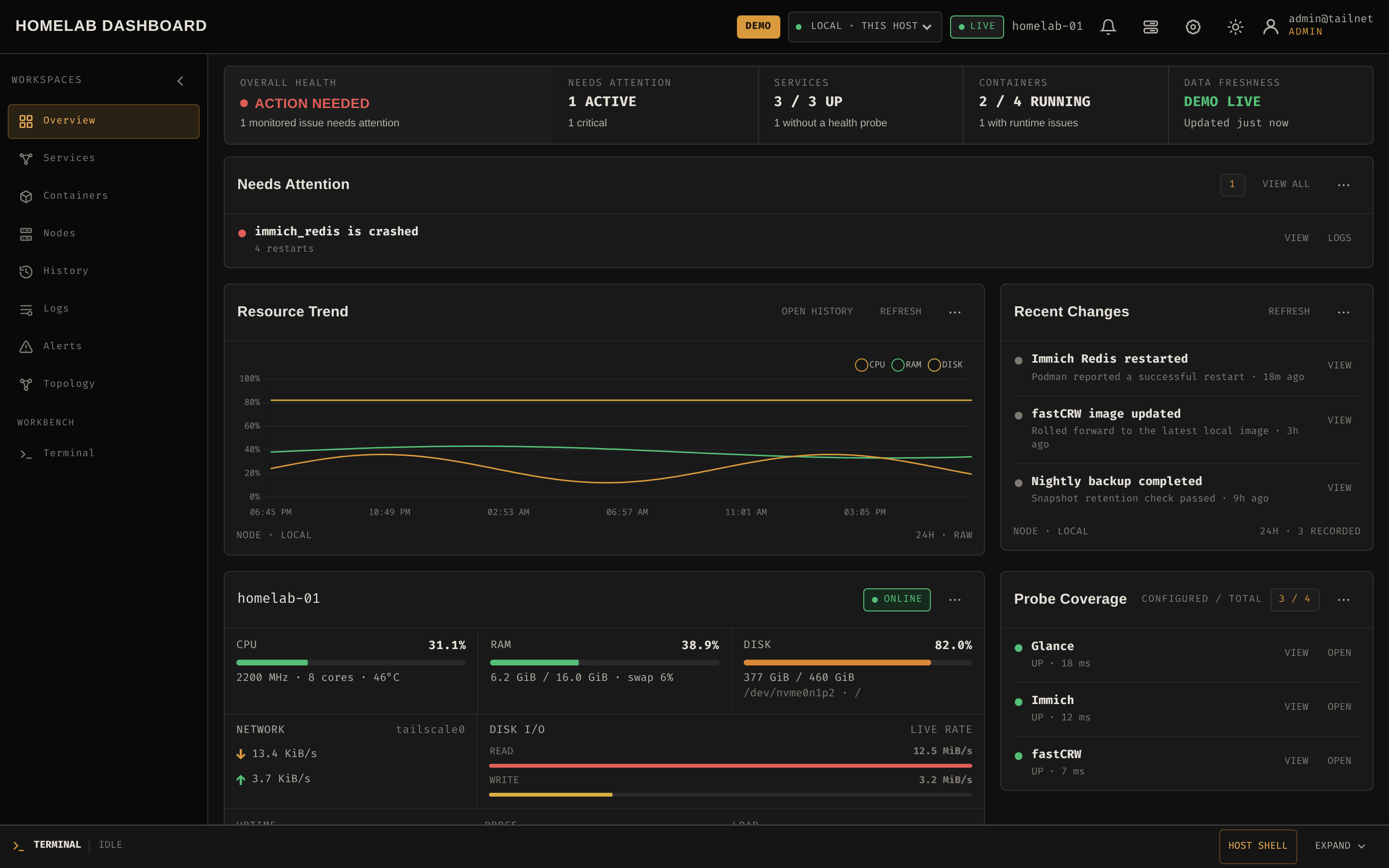
Live CPU, memory, disk, network, load and temperature. Container health and resource usage. TLS certificate observations. Service uptime and backup freshness — all in one glance, with 90-day history.
8 workspaces· 3 static binaries· 0 inbound ports· 50 MB console RSS
Container logs with regex search. Interactive container shells in xterm.js. An explicitly confirmed host Bash — context-linked to the alert or log that sent you there. No tab sprawl.
17" rack-mounted KVM console running live real-time HostDeck sandbox. Click "Expand Fullscreen Demo" above for a full 100vw x 100vh interactive experience!
Your Tailscale identity is the auth plane — no passwords, no exposed admin panel. Local host access runs through a Unix-socket agent. Remote nodes dial out over Tailscale WSS. Nothing to port-forward.
See the state → understand the problem → act on it safely. Everything an operator runs on a 1–5 node lab, in one interface, no tab sprawl between metrics, logs and shells.
Install with a single script, unprivileged, APT/DNF/Pacman aware. Tailscale Serve terminates HTTPS — no host port ever published. Open your *.ts.net URL and start observing.
The full feature matrix with honest "we don't do this" trade-offs lives in docs.html.
| Feature | HostDeck | Homepage | Uptime Kuma | Beszel / Netdata | Grafana stack |
|---|---|---|---|---|---|
| Zero inbound ports | Native | — | — | Partial · outbound WS | — |
| SLO error budgets 7/30/90d | First-party | — | Partial · uptime % only | — | Partial · needs plugin |
| Backup freshness monitoring | First-party | — | Partial · diff mechanism | — | Partial · hand-rolled |
| 90-day SQLite history, no TSDB | Native | — | Partial · status pages | Partial · basic ~30d | Yes · but heavy |
| Interactive container shell | Native | — | — | — | — |
| Confirmed host Bash | Native | — | — | — | Partial · Cockpit-like |
| Tailscale identity = sole auth | Native | — | — | — | — |
Two native delivery channels, no vendor SDKs: ntfy push and an HMAC-signed generic webhook. Point the webhook at anything that speaks HTTP: a Telegram bot, Discord, Slack, Home Assistant, n8n — and alerts land where you already look.
Signed payloads with X-Homelab-Signature: sha256=<hex> · per-webhook secrets · in-UI test push & POST · ack and silence rules. Setup details in docs/operations.md.
The host shell is the most trusted feature, so it gets the most guards — and the whole system is designed so there is nothing to port-forward.
No password database. Viewer vs admin comes from your Tailscale login; identity headers are only trusted when the request's peer is loopback.
Local host access goes through a Unix-socket agent; remote nodes dial out over Tailscale WSS. No SSH, no agent listener, no reverse proxy to secure.
An explicit HOST_SHELL_USERS allowlist plus an in-UI confirmation. Session audit records, 15-minute idle timeout, 1-hour hard cap — never auto-resumed.
Dashboard runs read-only with dropped capabilities; host and node agents run as the unprivileged installing account. Three binaries, three privilege boundaries.
No marketing fluff — operational detail, architecture decisions, honest comparisons and measured numbers, all in the repository.